The brief
The handwriting-font apps I found keep your letters locked inside their own keyboard, show ads, and charge by the week. I wanted the opposite: draw each letter once, get a real font file you own, pay once, no ads. On iPhone, a keyboard would let you type in your handwriting and paste it as an image into Messages or Instagram.
I wrote the plan on a Saturday night. By late Sunday morning there was a working web version: draw, generate, type in your font, download the .ttf. It’s a prototype; the iPhone app hasn’t been built yet.
How it works
There’s no AI model inside the product. Turning a drawing into a clean font is a precise, repeatable job, so it runs on proven tools: potrace to trace each letter into curves, and fontTools to build the font file. AI is how it got built. Claude Code wrote the code, working from a plan I approved, and every commit after the plan was made in a session with it.
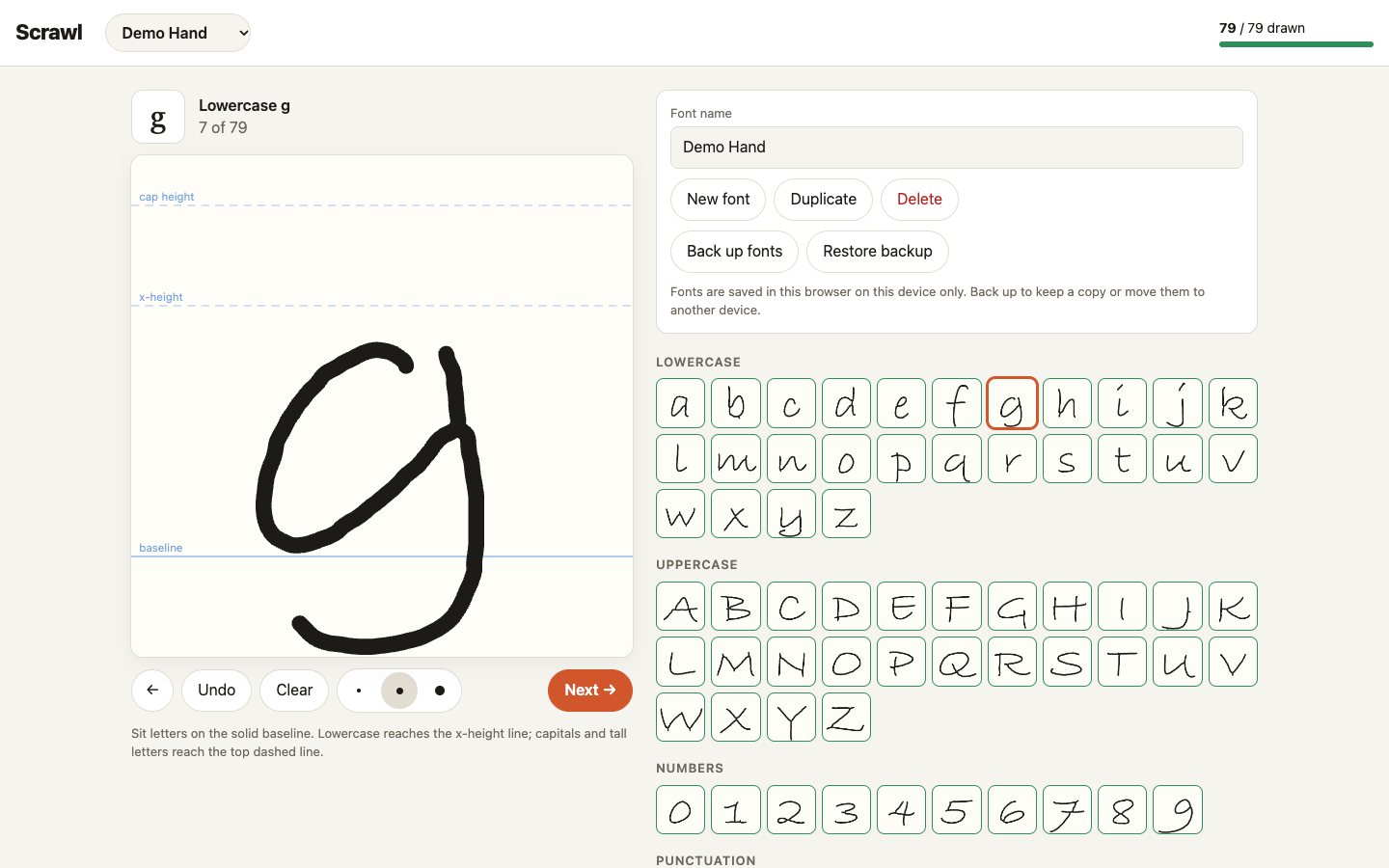
- Draw. One large pad per letter, with guides for capitals, lowercase and the baseline, and a grid of all 79 glyphs (a–z, A–Z, 0–9 and 17 punctuation marks) to jump around. Strokes are smoothed so a finger on glass doesn’t look shaky. Drafts save in the browser as you go.
- Check at the edge. A Cloudflare Worker serves the page and screens every request before any real work starts: rate limits, size caps, and checks that every image is actually a PNG of a known letter.
- Trace and build. A small Python service in a Cloudflare Container traces each letter, nudges letters that float slightly above the baseline onto it, sets the spacing, and writes the .ttf. It reloads the finished file to check it before sending it back.
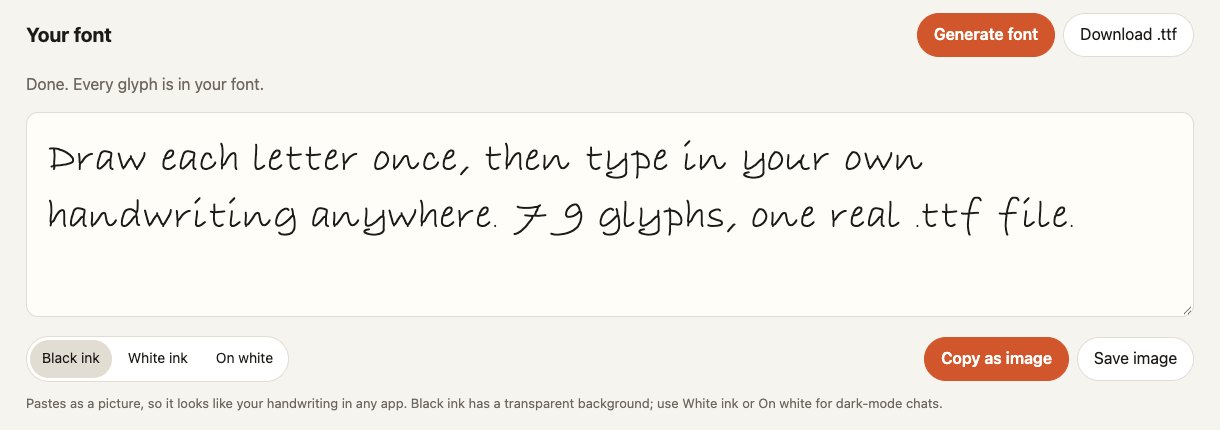
- Use it. The browser loads the font straight away, so you can type in it, download it, or copy your text as an image for apps that ignore custom fonts.
Nothing is stored on the server. Letters come in, a font goes out.
Where I sign off
- The product calls. No ads, a one-time purchase, and the user gets the actual font file. Those three points are the whole case against the competition, and they’re written at the top of the plan so every build decision gets checked against them.
- Hosting. Claude laid out four options; I picked Cloudflare: one platform, close to $5 a month at launch, and it sleeps when nobody’s using it. The reasoning is written down as a decision record in the repo.
- Privacy. I chose not to store anyone’s handwriting at all. That ruled out accounts and cloud sync for version one, on purpose.
- Scope. The plan runs in phases with checkboxes, and I keep it honest: the boxes that aren’t done say why, like the real-phone test that still hasn’t happened.
What broke
- The server is slower than my laptop. On Cloudflare, a full 79-letter font takes about 3 seconds warm and 4 to 7 seconds after the service has been asleep, against 0.7 seconds on my Mac. Fine for a one-off button press, and it’s measured so I know what it costs.
- iPad tapping did nothing. After generating, the page put the cursor in the preview box. On iPad that left the box focused with no keyboard showing, so tapping it did nothing. The fix was to stop doing it.
- Safari can delete your work. Drafts live only in the browser, and Safari can clear site storage on its own. I added a backup-and-restore file before anyone could lose a font.
- Fonts don’t survive Messages. Pasting text into most chat apps drops the font, so I added “Copy as image”: your sentence as a picture, with ink options for light and dark chats.
- A plan change for the better. The first plan drew preview images on the server for every keystroke. Browsers can load a font file directly, so that whole step was cut.
What’s next
- Try the web version on a real phone, then send the link to five people and collect their fonts.
- Draw a real handwriting set of my own as the test standard.
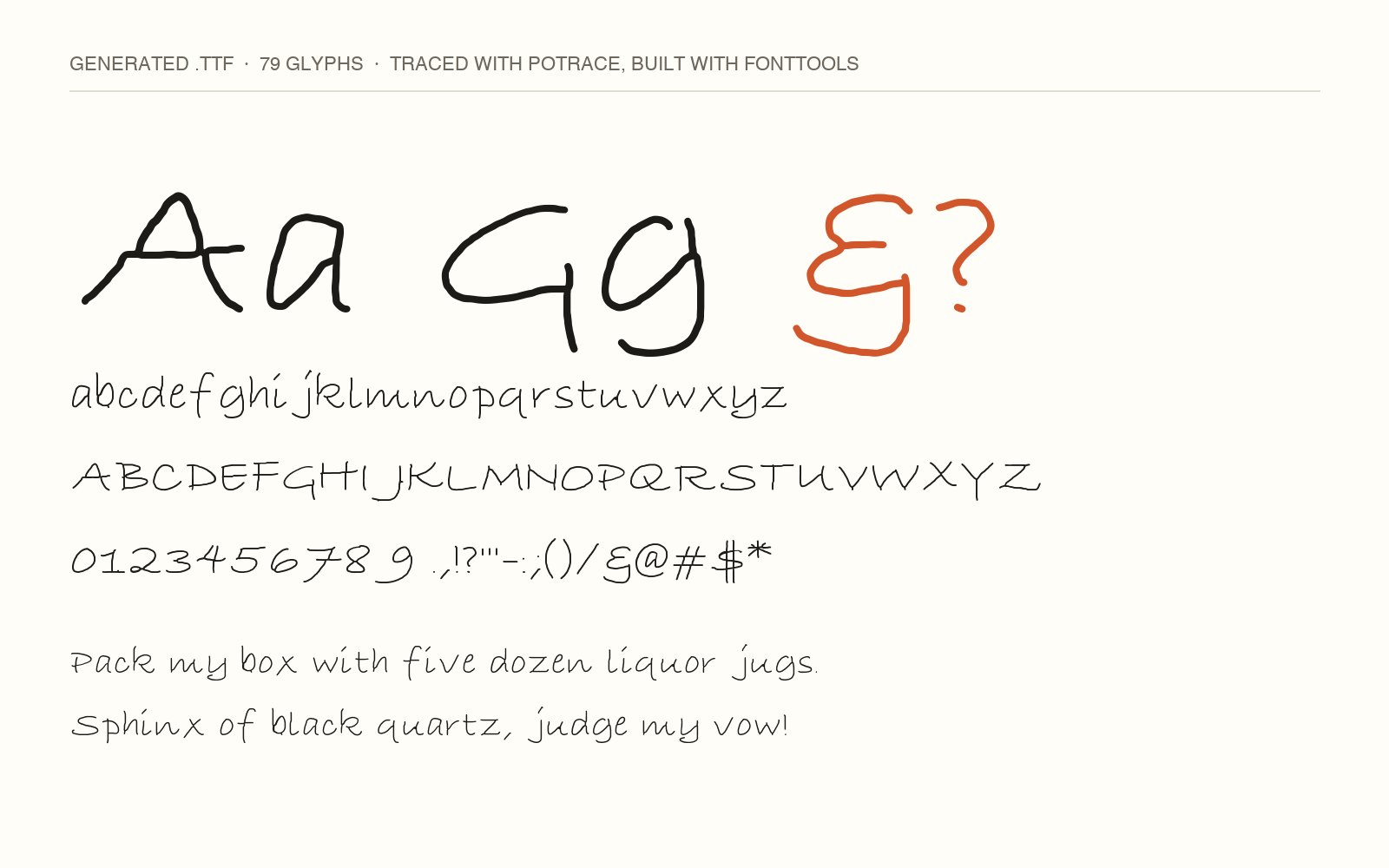
- Spacing. Each letter’s width comes from its ink, so a long hook on a j or a 9 opens a gap you can see in the specimen above. There’s no kerning yet.
- The iPhone app: Apple Pencil drawing, the keyboard, and the one-time unlock.